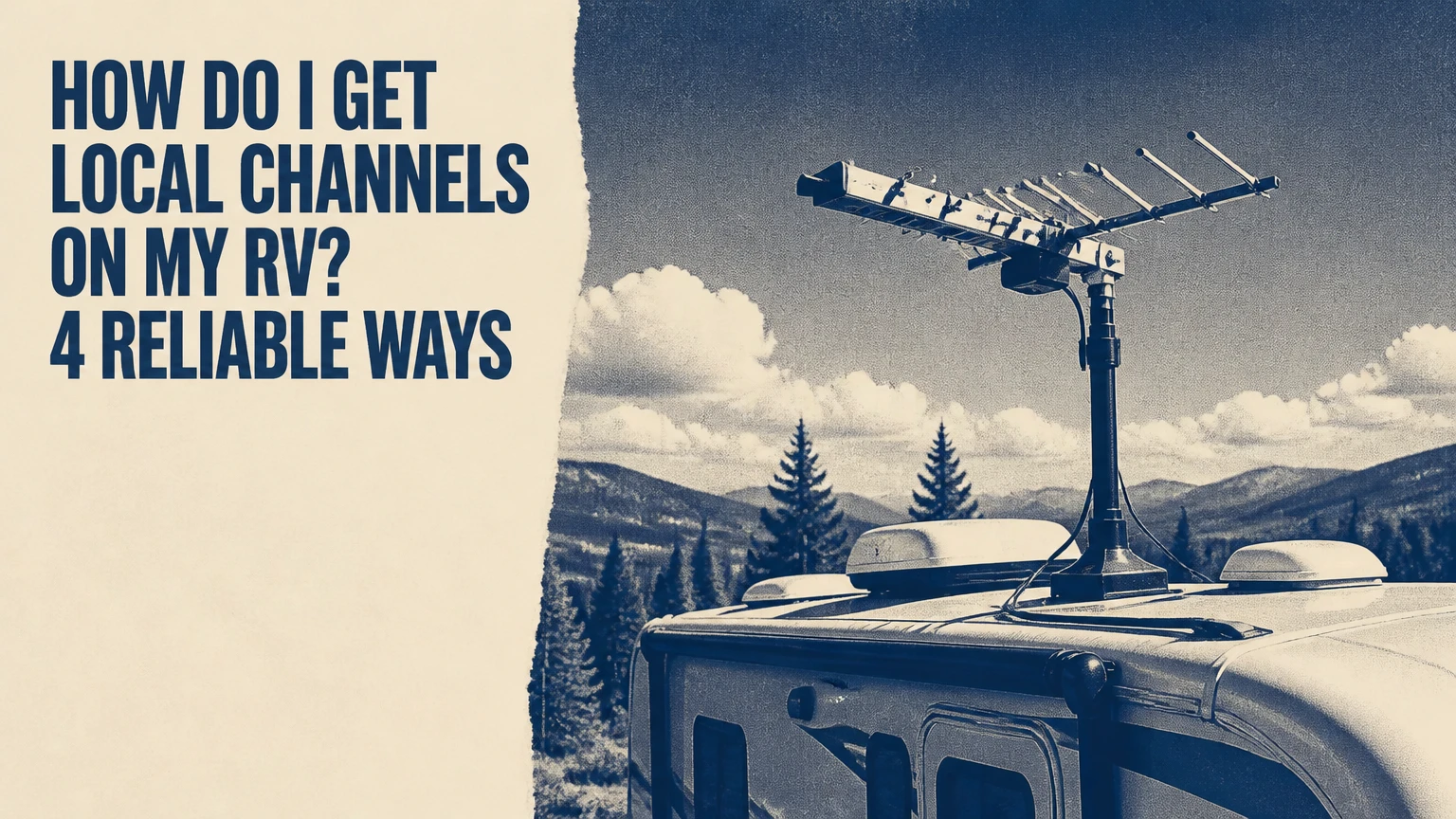
You can get local channels on an RV with an over-the-air antenna, campground cable, satellite television, or live streaming over cellular or satellite internet. For most travelers, an RV antenna is the cheapest first choice, while satellite is better for remote camping and streaming is best when reliable internet matters more than a zero-fee setup.
Key Facts at a Glance
An RV antenna receives free local broadcast signals, but the television must be set to TV, Air, or Antenna before scanning.
A channel scan is necessary after moving to a different broadcast market because a digital tuner does not automatically refresh its channel list.
OTA reception depends more on terrain, trees, antenna height, and tower direction than on the antenna’s advertised mileage.
Satellite local affiliates use provider-specific market and spot-beam rules, so national channels may remain available after local stations disappear.
Live TV streaming requires a supported service, adequate internet capacity, and location verification; unlimited data alone does not guarantee access.
Campground cable usually requires the RV antenna amplifier to be switched off before the coaxial cable is connected.
What Counts as a Local Channel?
Local channels are broadcast affiliates serving the television market where the RV is located. In the United States, the familiar examples include ABC, CBS, NBC, FOX, PBS, and The CW, although affiliate names and available subchannels vary by city.
A local station transmits from terrestrial towers. An antenna receives those radio-frequency signals, while cable, satellite, and streaming services deliver the same programming through different networks. The distinction matters because each method determines which market you receive.
For example, an RV near Denver may receive Denver-area affiliates through an antenna. A campground several hours away might fall into a different market, even if the old stations still appear in the television’s saved channel list. The station’s broadcast area is not defined by your billing address or by the state line.
Local programming also includes news, weather, emergency information, syndicated programs, and sports subject to rights restrictions. PBS availability is especially variable because individual member stations use different subchannels and schedules.
Which Method Is Best for an RV?
An OTA antenna is the best starting point for most RV owners because the equipment is usually already installed, monthly access is free, and setup takes roughly 15-30 minutes at a new campsite. Campground cable is a useful second option when the park provides an active coaxial outlet.
Satellite television becomes the stronger choice when camping far from broadcast towers or cellular networks. Streaming works well for travelers with dependable internet who want a large channel package, but data usage, location rules, and signal congestion can make it unreliable in remote areas.
| Method | Typical new equipment cost | Recurring access cost | Typical setup time | Main limitation |
|---|---|---|---|---|
| RV OTA antenna | $0-$250 | $0/month | 15-60 minutes | Terrain and tower distance |
| Campground cable | $10-$40 for coax | Included or $5-$20/night | 5-15 minutes | Park-dependent channel lineup |
| Portable satellite TV | $250-$1,500 | $50-$150/month | 20-60 minutes | Clear sky and provider rules |
| Live TV streaming | $25-$500 for device or router | $50-$100/month | 10-30 minutes | Internet and location verification |
These are typical US ranges, not universal prices. Existing equipment can reduce the starting cost substantially, while roof-mounted satellite systems and professional antenna repairs can exceed the table’s ranges.
What should a weekend camper choose?
Weekend campers who stay near towns should use the existing roof antenna first, carry a short coaxial cable for park hookups, and keep a streaming app as a backup. This hybrid approach avoids a satellite subscription for occasional trips and handles most developed campgrounds.
Full-time travelers need a more deliberate combination. An antenna covers free local broadcasts, satellite covers locations without terrestrial or cellular service, and streaming covers devices that cannot use the RV’s coaxial distribution system.
How OTA Television Works in an RV
An RV OTA antenna receives local digital broadcasts through a coaxial cable connected to the television’s antenna input. The TV tuner converts the signal into picture and sound, but the tuner only displays stations found during a scan for the current location.
Older RVs often have a roof-mounted crank-up antenna, an omnidirectional “flying saucer” antenna, or a wall-mounted indoor unit. A directional antenna can produce stronger reception when aimed at towers, while an omnidirectional antenna is faster to use when the RV changes orientation frequently.
The advertised “50-mile” or “70-mile” range is not a dependable reception guarantee. The FCC’s digital television reception maps can identify transmitter locations, but local terrain, curvature, foliage, building materials, and interference determine whether the signal reaches the campsite.
A powered RV antenna amplifier can compensate for cable loss and modestly improve weak signals. It cannot create a missing signal behind a mountain, and excessive amplification can overload a strong signal.
What equipment do you need?
| Component | Typical specification | Purpose | Replacement trigger |
|---|---|---|---|
| RV antenna | 12-volt powered or passive model | Captures broadcast signals | Cracked housing or water intrusion |
| Coaxial cable | RG-6, 10-25 feet | Carries RF signal to TV | Corrosion, loose ends, water damage |
| Wall plate amplifier | 12-volt, push-button or rocker | Compensates for cable and splitter loss | LED failure or no amplified output |
| Digital tuner | ATSC 1.0 in most US TVs | Decodes local broadcasts | TV lacks antenna input or tuner |
| Optional signal meter | ATSC-compatible handheld meter | Measures signal during aiming | Directional antenna installation |
ATSC 3.0, also called NextGen TV, is expanding in some markets, but many broadcasts still use ATSC 1.0. ATSC 3.0 reception and features vary by television, station, encryption policy, and broadcaster, so a new TV does not guarantee additional channels.
How Do I Get Local Channels on My RV With an Antenna?
To get local channels on an RV antenna, connect the TV to the antenna coax, turn on the amplifier, select Antenna or Air mode, and run an automatic channel scan after positioning the RV. The process usually takes 15-30 minutes, although aiming and obstruction problems can extend it.
Before you start
- Time: 15-30 minutes for a portable or existing roof antenna
- Difficulty: Easy, unless the antenna or coax needs repair
- Cost: $0 if the installed system works; $30-$250 for common replacements
- Tools: Coaxial cable, flashlight, phone with tower-map access, and optional compass
- Prerequisites: Television with an antenna input and a working 12-volt antenna circuit
Step 1: Connect the television to the antenna
Plug the RV coaxial cable into the television port labeled ANT IN, RF IN, or Cable/Antenna. Do not use an HDMI port, because HDMI accepts a device output rather than a raw broadcast signal.
If the RV has multiple coaxial wall plates, test the one labeled TV, antenna, or living room first. A satellite-prep connector may route to a roof location and may not connect to the interior antenna distribution system.
You will know it worked when: the cable seats firmly and the TV offers an Antenna or Air source.
Common mistake: plugging the antenna cable into a satellite input or a cable modem outlet.
Step 2: Position and power the antenna
Raise a crank-up antenna fully, rotate a directional model toward nearby towers, or place an indoor antenna beside a window facing the transmitter. Turn the RV wall plate amplifier on, then confirm that its indicator light illuminates.
Use the FCC DTV Reception Maps to identify station towers near the campground. Antenna placement above the RV roof generally improves line of sight, while large metal structures, wet tree cover, and neighboring RVs can reduce reception.
You will know it worked when: the amplifier light is on and the antenna has a clear practical path toward the tower cluster.
Common mistake: leaving the booster off because the television still powers on. The TV and amplifier use separate power circuits.
Step 3: Select Antenna mode and scan for channels
Open the television menu and select Channel, Broadcast, Tuner, or a similar option. Choose Antenna, Air, or Terrestrial, not Cable, then select Auto Program, Auto Scan, or Channel Search.
A scan typically takes 2-10 minutes. Run the scan again whenever the RV enters a new television market, after changing antenna direction, or after repairing the coaxial system.
You will know it worked when: the TV reports found channels and local station logos or call signs appear in the guide.
Common mistake: rescanning in Cable mode, which searches incompatible frequencies and can return zero stations.
Step 4: Test reception and refine the position
Watch a local station for several minutes rather than judging reception from a single channel appearance. Digital signals often fail abruptly, producing pixelation, audio drops, or a frozen image instead of gradual snow.
If stations break up, raise the antenna, rotate a directional model in small increments, move an indoor antenna away from appliances, and rescan after each meaningful change.
You will know it worked when: the strongest local stations remain stable through normal movement inside the RV.
Common mistake: adding an amplifier before checking the cable connector and line of sight. A damaged connector or blocked signal cannot be repaired with more gain.
How Do I Use Campground Cable for Local Channels?
Connect the campground’s coaxial outlet to the RV cable input, switch the RV antenna amplifier off, select Cable mode on the TV, and run a new channel scan. Campground cable can provide local affiliates without cellular data, but the channel lineup belongs to the park’s provider and may exclude major networks.
Use a weather-resistant RG-6 cable, ideally 25-50 feet long, with compression-fitted connectors. Inspect the campground outlet for a missing center pin, corrosion, or a loose wall plate before troubleshooting the television.
| Cable connection state | RV amplifier | TV tuner mode | Expected result |
|---|---|---|---|
| Park coax connected | Off | Cable | Park lineup may appear |
| Roof antenna connected | On | Antenna/Air | Local broadcast scan |
| Roof antenna connected | Off | Antenna/Air | Weak or no stations |
| Park coax connected | On | Cable | Possible signal attenuation or interference |
The amplifier switch must be off for many RV cable systems because the wall plate can place 12-volt power onto a cable connection that does not need it. Some installations use different wiring, so check the RV manufacturer’s diagram if the park outlet loses signal with the amplifier disabled.
What Happens to Local Channels With Satellite?
Satellite television can provide national programming across much of North America, but local affiliates may disappear when the RV leaves the provider’s designated spot beam or service market. The exact distance is provider-specific, so a universal 150-mile or 200-mile rule is unreliable.
Satellite dishes require a clear view of the relevant sky region. Trees, buildings, canyon walls, roof accessories, and heavy precipitation can block or weaken the signal. A portable tripod dish is easier to relocate than a roof-mounted dome, while an automatic roof system is faster after parking but costs more to install and repair.
Local channel management also differs by provider. Some services allow a temporary service-address update, while others require an account change or have separate RV programming rules. Update the physical service location only when instructed. Do not alter the billing address to solve a reception problem.
Satellite is not a complete replacement for OTA. A satellite receiver can lose local network affiliates while national news, entertainment, and specialty channels continue working.
Are Streaming Services Reliable While Traveling?
Live TV streaming can follow the RV’s current location when the service supports travel use and can verify the device’s location, but the application may enforce a home area, device limit, licensing restriction, or local sports blackout. GPS access may help on mobile devices, yet a streaming app may also use IP address, account settings, Wi-Fi data, or a device-location check.
Services such as YouTube TV, Hulu + Live TV, and Fubo have different policies for home use, mobile travel, simultaneous streams, and local affiliates. Check the provider’s current terms before subscribing because channel availability changes by market and contract.
A practical bandwidth estimate is 2-3 GB per hour for high-definition live video, depending on resolution and compression. A family watching four hours per day could use approximately 240-360 GB per month on one television, before other internet activity.
| Streaming factor | Typical requirement | Failure symptom | Practical response |
|---|---|---|---|
| Download speed | 8-15 Mbps per HD stream | Buffering or reduced quality | Reduce other network traffic |
| Monthly data | 2-3 GB per HD hour | Hotspot throttling | Use campground Wi-Fi or a higher-data plan |
| Location check | Current device or network location | Wrong local market | Enable permissions and restart the app |
| Account policy | Home-area and travel rules | Sign-in or playback block | Follow provider travel instructions |
| Cellular signal | Stable 4G LTE or 5G | Drops during congestion | Change campsite or use another carrier |
Streaming is a poor primary method for boondocking in a dead zone. A cellular router can improve antenna placement and network management, but it cannot provide service where the carrier has no usable tower.
Which Setup Works Best for Different RV Trips?
The best RV television setup depends on whether the trip prioritizes low cost, remote coverage, or convenience. An OTA antenna plus a coaxial cable is the sensible baseline for most owners, while satellite or streaming adds coverage for specific gaps rather than replacing every method.
| Camping situation | Primary method | Backup method | Why it fits |
|---|---|---|---|
| State park near a city | OTA antenna | Phone hotspot | Free broadcasts with short setup |
| Full-hookup campground | Park cable | OTA antenna | No streaming data for live TV |
| Remote boondocking | Satellite TV | Downloaded programming | Works beyond cellular coverage |
| Digital nomad travel | Live streaming | OTA antenna | App-based access across markets |
| Mountain or forest campsite | Satellite with clear sky | Park cable | Trees and terrain defeat OTA |
| Cross-border travel | Local OTA scan | Country-specific streaming | US services may not travel identically |
A hybrid system is usually more resilient than a single expensive system. The practitioner rule is simple: use the least complicated source that works at the campsite, then move to the backup only when the environmental constraint is known.
How Much Do RV Local Channels Cost?
RV local television can cost $0 per month with an existing antenna or campground cable included in the site fee. Typical new-equipment costs range from $30-$250 for an antenna repair or replacement, $250-$1,500 for portable satellite hardware, and $50-$100 per month for a live TV streaming subscription.
| Purchase or service | Typical price | Typical labor or setup time | Ongoing cost |
|---|---|---|---|
| RG-6 coaxial cable | $10-$30 | 5 minutes | $0 |
| Replacement RV antenna | $40-$180 | 30-120 minutes | $0 |
| Wall plate amplifier | $15-$45 | 15-45 minutes | $0 |
| Streaming device | $25-$100 | 10-20 minutes | Subscription required |
| Portable satellite dish | $250-$1,000 | 30-60 minutes | Provider plan |
| Roof-mounted satellite system | $1,000-$2,500 installed | 2-6 hours | Provider plan |
Prices vary by country, retailer, installation complexity, and provider. The least expensive purchase is not always the least expensive system: a cheap antenna cannot compensate for a damaged roof cable, and an inexpensive streaming subscription can consume a costly cellular data allowance.
Why Are RV Local Channels Missing?
Missing local channels usually result from the wrong tuner mode, an incomplete scan, a disabled amplifier, poor antenna placement, damaged coax, or a location outside the station’s practical coverage area. Diagnose the signal path in that order because menu settings and power switches take minutes to verify, while roof repairs take much longer.
Troubleshooting missing OTA stations
- Confirm the coax is connected to ANT IN, not HDMI or satellite input.
- Set the TV to Antenna/Air, then run a complete scan.
- Turn the RV antenna amplifier on and check its LED.
- Remove a splitter or extension cable temporarily.
- Raise or rotate the antenna toward the nearest tower group.
- Test outside the RV if using an indoor antenna.
- Inspect connectors for corrosion, loose braid, or a missing center conductor.
- Try another television to separate a tuner problem from an RV wiring problem.
A counterintuitive diagnostic rule matters here: more channels in a scan do not necessarily mean better reception. A tuner may save a weak station that later pixelates, while a properly aimed antenna may produce fewer but stable channels.
Troubleshooting campground cable
Turn the antenna amplifier off, select Cable mode, and scan again. Test the outlet with a known-working television or ask the campground whether the connection is active, because some sites have disconnected or unfiltered coaxial ports.
If the park cable works directly at the TV but not through the RV, suspect the wall plate, splitter, or internal coax. If every site has the same missing channels, the park’s provider controls the lineup and the absence is not an antenna fault.
Troubleshooting streaming local markets
Restart the streaming device and router, enable location permissions, and verify that the account’s home area and travel status comply with the provider’s rules. A router reboot may provide a new IP address, but it cannot override a service’s licensing policy.
Do not rely on a VPN to obtain a different local market. VPN use can trigger location mismatches, playback restrictions, or account-security checks, and it does not create a legitimate broadcast entitlement.
Can You Watch Local Channels Outside the United States?
The same basic methods exist outside the United States, but station names, broadcast standards, satellite services, and streaming rights differ by country. An RV in Canada may receive CBC, CTV, Global, or TVA affiliates, while an Australian caravan may use ABC, SBS, Seven, Nine, or Ten through local terrestrial broadcasts.
The television must support the local digital standard, and an imported RV antenna system may use connectors or amplifiers that require adapters. Local broadcaster apps also apply country-specific rights and location restrictions.
For cross-border travel, scan the antenna in the destination country, verify the television’s tuner standard, and confirm whether your subscription permits travel there. US market assumptions should not be applied automatically to Canada, Mexico, Europe, or Australia.
What Are the Most Common RV TV Mistakes?
The most common RV television mistake is treating the antenna as a complete system rather than checking the tuner, amplifier, cable, and location together. Four avoidable errors account for many “no signal” complaints.
- Leaving the amplifier off: OTA reception weakens, especially through splitters and long cable runs. Turn it on for antenna use.
- Leaving the amplifier on for park cable: The 12-volt feed can interfere with a cable hookup. Turn it off before scanning.
- Skipping a new scan: A saved channel list describes the previous market, not the current campsite.
- Using the wrong source mode: Antenna and Cable scans search different frequency plans.
- Trusting the antenna mileage label: Terrain and obstructions matter more than the printed range.
- Replacing the antenna first: Test the coax and wall plate before buying hardware.
Professional installers often test continuity and signal level at both ends of the cable before replacing a roof antenna. That sequence prevents a new antenna from being connected to the same failed cable.
Which Setup Should You Choose?
Choose an existing OTA antenna with campground cable backup if you camp in developed areas and want the lowest recurring cost. Choose portable satellite if local channels must work beyond cellular coverage, and choose streaming if your RV already has dependable internet and you accept subscription and data constraints.
Use this decision sequence:
- Do you have a clear broadcast path? Start with OTA.
- Does the campground provide coaxial cable? Test park cable before using data.
- Do you camp without cellular coverage? Consider satellite.
- Do you already pay for strong mobile internet? Add live streaming.
- Do you need local affiliates during major events? Keep OTA available because streaming and satellite rights can vary.
The strongest general-purpose arrangement is an RV antenna, a 25-50-foot RG-6 cable, and one legal streaming service used only when reception or campground cable fails. Remote boondockers may replace the streaming backup with satellite, but no option defeats every combination of terrain, weather, rights restrictions, and network outages.
FAQ
Do RVs come with antennas for local channels?
Many modern RVs include a roof-mounted OTA antenna and an interior wall plate amplifier, but equipment varies by manufacturer and model year. The antenna may still need a replacement coax connector, a powered wall plate, or a compatible digital television. Verify the amplifier light and run a fresh scan before assuming the system is defective.
Can I get local channels without internet in my RV?
Yes. An OTA antenna, campground cable, or satellite television can provide local or network programming without internet access. OTA and cable depend on terrestrial or wired infrastructure, while satellite depends on a clear dish view and an active service plan. Streaming is the only major method that requires an internet connection.
How often should I rescan my RV television?
Scan the RV television whenever you move to a new television market, change antenna direction, install a new antenna, or encounter missing stations. Travelers who remain in one campground usually need only one successful scan, although broadcasters can change frequencies or subchannel arrangements.
Will an indoor antenna work inside an RV?
An indoor antenna can work near a window when the campsite is close to broadcast towers and has limited obstruction. Aluminum siding, metal window shades, neighboring vehicles, trees, and hills reduce its effectiveness. An indoor model is a useful backup, but a roof antenna usually provides more consistent height and line of sight.
Can I use a regular home antenna in an RV?
A regular home antenna can work electrically if its frequency range, coaxial connector, power requirements, and mounting method suit the RV. Large residential directional antennas may be impractical because of wind load, storage, and roof clearance. RV-specific models usually trade maximum gain for compact installation and easier travel handling.
The Bottom Line
How do I get local channels on my RV? Start with the installed OTA antenna, switch on its amplifier, select Antenna or Air mode, and scan at every new campsite. Use campground cable when available, satellite for remote areas without cellular coverage, and streaming when reliable internet makes convenience worth the monthly fee and data usage.