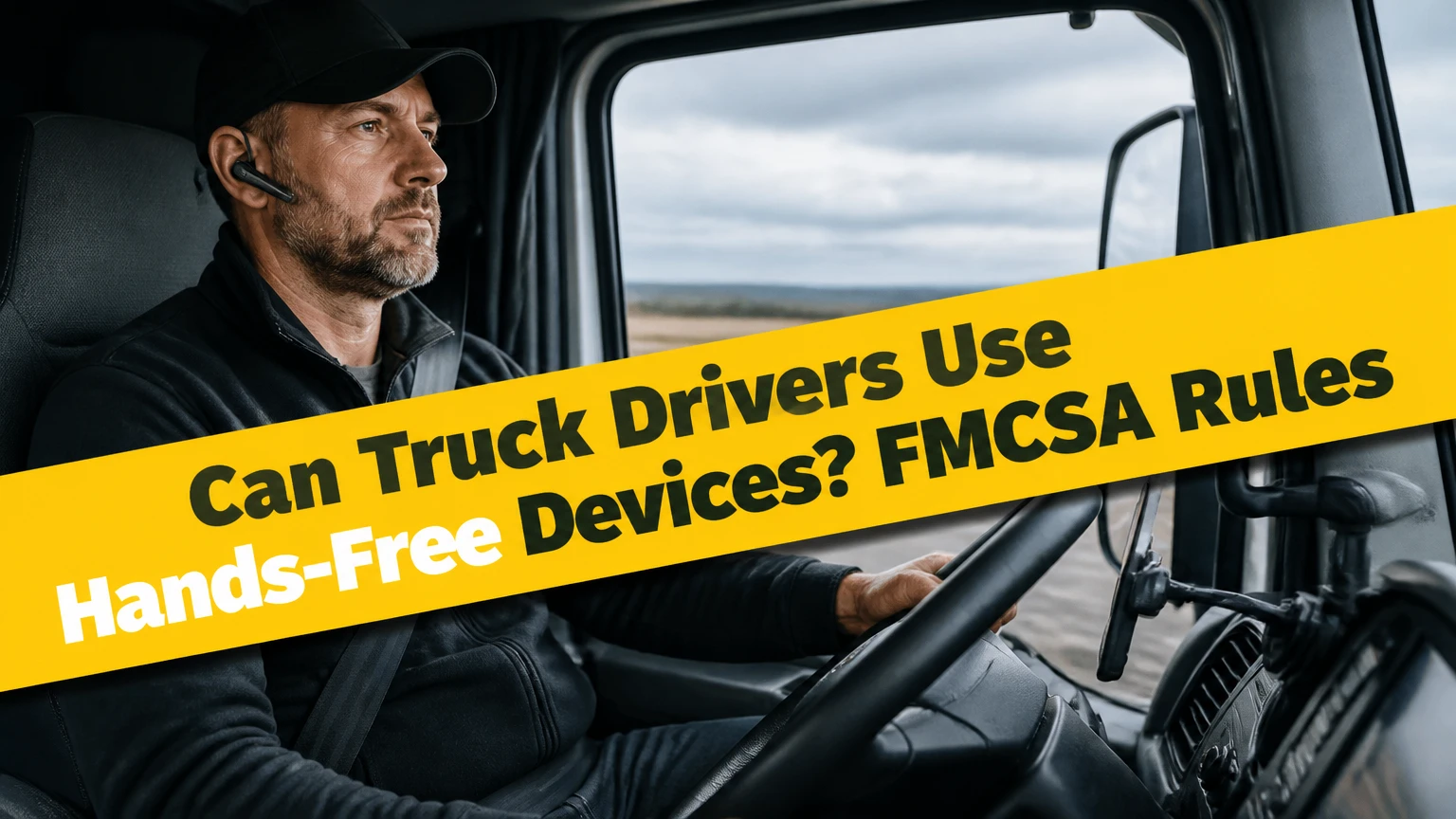
Yes, truck drivers can use hands-free devices, but only when the device and the driver’s actions comply with federal and state requirements. Under FMCSA regulation 49 CFR 392.82, a commercial motor vehicle driver may not use a hand-held mobile telephone, while a compliant system must be reachable from the normal seated driving position and operable with no more than one button to initiate, answer, or end a voice call.
Key Facts at a Glance
- FMCSA rules prohibit CMV drivers from holding a mobile phone or dialing a phone by pressing multiple buttons while operating the vehicle.
- Federal rules treat a vehicle stopped temporarily in traffic or at a traffic-control device as still being operated.
- A compliant phone setup must remain within reach of the driver’s normal seated position without leaning, unbuckling, or leaving the seat.
- The federal one-button exception applies to voice calls, not unrestricted texting, route editing, browsing, or repeated touchscreen taps.
- Bluetooth, a wired headset, a mounted speakerphone, Apple CarPlay, and Android Auto can be hands-free technologies, but the driver’s interaction still determines compliance.
- State laws, carrier policies, and equipment-specific rules can be stricter than the federal minimum.
What Federal Rule Applies to Commercial Drivers?
The federal rule is 49 CFR 392.82, “Using a hand-held mobile telephone,” enforced by the Federal Motor Carrier Safety Administration and the U.S. Department of Transportation. The rule prohibits a driver from using a hand-held mobile telephone while operating a commercial motor vehicle, including a CMV on a public road.
The regulation defines prohibited use broadly enough to cover holding the phone, dialing by pressing more than a single button, or reaching for a phone in a way that requires the driver to leave the normal seated driving position. FMCSA’s mobile-phone fact sheet summarizes the practical standard as one-button control, close placement, and no holding.
“Operating” does not mean only moving at highway speed. FMCSA states that a driver is still operating the vehicle when temporarily stopped because of traffic, a traffic-control device, or another momentary roadway condition. A red light therefore does not create a safe legal opportunity to pick up the phone.
The rule applies to interstate commercial drivers and generally affects many intrastate CMV operations through state adoption or parallel state law. A driver should check the state where the vehicle is operating, because local rules may regulate headphones, windshield mounts, video displays, texting, or any physical phone interaction more strictly.
Does the rule apply to every truck?
The federal mobile-phone rule applies to a commercial motor vehicle driver operating a CMV, not automatically to every person driving a pickup truck or privately owned automobile. A vehicle’s legal classification, the trip’s purpose, and the applicable state law determine which rules apply.
A common example is a delivery driver in a cargo van. If the vehicle meets the federal CMV definition or the driver is covered by a state commercial-vehicle rule, FMCSA-style restrictions may apply. A private pickup used occasionally for personal errands may fall outside that federal rule, although distracted-driving laws can still prohibit handheld use.
What Counts as a Hands-Free Device?
A hands-free device is a phone, headset, vehicle system, or communication interface that allows voice communication without the driver holding the mobile phone or manually dialing through multiple controls. Bluetooth connection alone does not make every interaction lawful, because a driver can still use a Bluetooth-connected phone in a prohibited handheld or manually operated way.
Typical hands-free systems include:
- A Bluetooth trucking headset with a boom microphone.
- A factory-installed vehicle infotainment system.
- A mounted speakerphone controlled by one physical button.
- Apple CarPlay or Android Auto using voice commands.
- A wired headset connected before the truck moves.
- A fleet communication unit that is separate from a personal mobile phone.
The legal question is not whether a product is advertised as hands-free. The relevant questions are whether the driver holds or supports the phone, whether the control is reachable from the seated position, how many actions begin or end the call, and whether the driver performs another distracting task during the interaction.
How many touches are allowed?
Federal FMCSA rules allow a driver to press a single button to initiate, answer, or terminate a voice call, provided the phone is mounted or close enough to reach without leaving the normal seated position. The one-button allowance does not authorize a sequence of taps for texting, searching contacts, changing navigation destinations, or scrolling through applications.
A voice command can reduce physical interaction, but it does not remove the driver’s duty to remain attentive. A driver who repeatedly dictates messages, watches a display, or handles a phone while using voice control may still violate another law or create evidence of distracted driving.
The safest operating policy is stricter than the federal minimum: pair the system, select the route, load dispatch information, and place the phone in its mount before moving. If a task requires multiple selections, pull into a lawful parking location rather than relying on a traffic light or shoulder.
Where Must the Phone or Control Be Placed?
The phone or control must be reachable from the driver’s normal seated driving position. The driver should not need to unbuckle, lean away from the wheel, stand, reach behind the seat, or support the phone’s weight to answer a call.
A practical mount test has four parts:
- Sit fully back in the normal driving position.
- Keep the seat belt fastened and one hand available for vehicle control.
- Reach the call button without twisting the torso or moving the shoulder away from the seat.
- Confirm that the mount does not block the forward view, mirrors, gauges, airbag deployment path, or required vehicle controls.
A dashboard mount often creates fewer legal and visibility problems than a low console location. A windshield mount may be legal in one jurisdiction and restricted in another, especially if it obstructs the driver’s view. A suction cup that repeatedly falls creates a practical safety problem even if its original placement was compliant.
The phone should remain secured, visible only when needed, and positioned so the driver can use voice commands without picking it up. A lap, thigh, cupholder, bunk, or passenger seat is not a reliable hands-free location.
Can a phone rest on a lap or console?
A phone resting on a lap is not a safe compliant setup because the driver is supporting or controlling the device from an unstable location, and an officer may reasonably view that position as handheld use. A phone lying in a cupholder or console may avoid hand contact, but it can still require prohibited reaching or repeated manual operation.
A phone in a fixed mount is easier to evaluate. The mount must keep the device secure, reachable from the seated position, and outside the driver’s view obstruction zone. Company policy may prohibit any phone touch while the vehicle is moving, even if federal law permits one button for a voice call.
How Do Hands-Free Systems Work in a Truck Cab?
Hands-free systems send call audio through Bluetooth, a wired connection, or the truck’s infotainment system, while microphones and signal processing separate speech from engine, tire, fan, and road noise. A truck headset usually combines a boom microphone with noise suppression and echo control rather than relying on the phone’s exposed microphone.
Bluetooth commonly operates in the 2.4 GHz band. Range can reach roughly 10 meters for ordinary consumer Class 2 devices, although the driver’s body, cab structure, and interference can reduce that distance. A trucker normally needs only a short connection between the phone and headset, so maximum advertised range matters less than stable pairing and battery performance.
Active noise cancellation primarily reduces sound reaching the listener, while microphone noise suppression improves the speech transmitted to a dispatcher. Those functions are different. A headset can make incoming audio quiet while still sending a dispatcher engine rumble if its boom microphone is poorly positioned.
Voice assistants convert speech into commands and return spoken responses. Siri and Google Assistant can place calls or provide navigation, but voice recognition accuracy falls when the microphone sits too far from the mouth or the driver speaks over high cabin noise.
Which Hands-Free Device Types Work Best?
The best device type depends on noise level, call duration, privacy needs, installation budget, and how often the driver enters and exits the cab. A professional single-ear headset generally performs best for long-haul dispatch calls, while an integrated head unit is more convenient for drivers who frequently leave the truck.
| Device type | Typical cost | Typical battery or life | Best operating use |
|---|---|---|---|
| Trucking Bluetooth headset | $100-$250 | 20-40 hours per charge; 2-4 years | Long-haul dispatch calls |
| Factory infotainment system | $0 included to $1,500 installed | Vehicle life; 5-10 years | Frequent navigation and shared audio |
| Aftermarket CarPlay head unit | $300-$800 installed | Vehicle life; 5-8 years | Regional routes and route display |
| Wired boom headset | $40-$150 | No battery; 1-3 years | Low-cost backup communication |
| Fleet communication terminal | $300-$1,500 per vehicle | Vehicle life; 3-7 years | Managed dispatch and workflow |
Are Bluetooth headsets legal in a semi?
A Bluetooth headset can be lawful in a semi-truck when the driver does not hold the phone, the call control is reachable from the seated position, and the driver uses no more than the permitted physical interaction to initiate, answer, or end a voice call. The headset’s Bluetooth connection does not override state or employer restrictions.
A single-ear headset is often practical because it leaves one ear available for alarms, horns, sirens, and communication inside the cab. However, federal FMCSA regulations do not create a universal “one-ear headset” rule for all CMV drivers. Some states, employers, or vehicle policies may impose hearing-related restrictions, so drivers must check the operating jurisdiction and carrier handbook.
Two-ear headsets are not automatically prohibited by the federal mobile-phone regulation. They can still be poor equipment choices if they block important warning sounds, interfere with required hearing protection, or violate a state rule.
Are CarPlay and Android Auto safe alternatives?
Apple CarPlay and Android Auto can be safer hands-free alternatives because they route calls and navigation through a vehicle interface with voice control and larger controls. Neither platform grants permission to hold a phone, type while moving, or perform a multi-step task that distracts the driver.
Drivers should connect the phone before departure, use steering-wheel voice controls where available, and avoid entering a destination while driving. An integrated screen also needs a compliant installation. A large display placed too high, too low, or in the windshield sightline can create visibility and distraction problems.
How Much Does a Compliant Setup Cost?
A typical compliant hands-free setup costs $40-$250 for a wired or Bluetooth headset, $20-$80 for a durable mount, or $300-$1,500 for an installed infotainment or fleet communication system. Installation, replacement microphones, wiring, and fleet-management subscriptions can add recurring expenses.
| Setup | Equipment cost | Installation time | Recurring cost |
|---|---|---|---|
| Existing phone plus mechanical mount | $20-$80 | 10-30 minutes | $0-$20 yearly replacement |
| Wired boom headset plus mount | $60-$230 | 10-20 minutes | $10-$30 yearly accessories |
| Premium Bluetooth headset plus mount | $120-$330 | 10-20 minutes | $0-$40 yearly battery or pads |
| CarPlay or Android Auto head unit | $300-$800 typical | 2-5 hours | $0-$15 monthly data plan |
| Fleet terminal with dispatch software | $500-$1,500 typical | 1-4 hours | $15-$60 monthly per vehicle |
Prices vary by truck model, dash design, wiring adapters, and whether a professional installer performs the work. A cheap suction mount may cost less initially but create repeated drops, emergency handling, and route interruptions. The lowest purchase price is not the lowest operating cost when equipment fails during every shift.
Which option fits each driver?
| Driver situation | Recommended system | Reason | Main limitation |
|---|---|---|---|
| Owner-operator on long hauls | Single-ear boom headset | 20-40-hour battery and strong microphone isolation | Ear fatigue during extended wear |
| Regional driver with many stops | Integrated CarPlay or Android Auto | No headset removal at every stop | Higher installation cost |
| Fleet with centralized dispatch | Managed fleet terminal | Consistent controls and reporting | Subscription and administrator setup |
| Occasional backup use | Wired headset and fixed mount | No battery pairing failure | Cable management |
| High-noise vocational truck | Dual-microphone boom headset | Better transmitted speech quality | Higher price and fit requirements |
How Should a Driver Set Up Hands-Free Calling?
A driver should install and test the complete system while parked, before the vehicle moves. A basic setup takes 15-30 minutes, and the most important success factor is whether every required control can be used without holding the phone or leaving the normal seated position.
Before You Start
- Time: 15-30 minutes for a headset and mount; 2-5 hours for a head-unit installation.
- Difficulty: Low for pairing; moderate to high for hardwired equipment.
- Typical cost: $20-$330 for a headset-and-mount setup.
- Tools: Mount hardware, charging cable, alcohol wipe, cable ties, and the vehicle manual.
- Prerequisites: Parked vehicle, charged headset, updated phone, active Bluetooth, and carrier policy review.
Step 1: Install the Mount
Secure the phone mount to a stable dashboard location or an approved vehicle mounting point. Keep the phone within comfortable reach while seated and belted, but outside the windshield sightline, airbag path, mirror view, and gauge cluster.
You will know the placement works when you can press the permitted call control without leaning or unbuckling. The common mistake is choosing a low cupholder position that forces the driver to look down or reach between the seats.
Step 2: Pair the Audio Device
Turn on Bluetooth, place the headset or head unit in pairing mode, select the named device, and complete a test call while stationary. Disable automatic pairing with unrelated nearby devices, because a phone that connects to the wrong headset can send private dispatch or personal calls through the cab.
You will know pairing works when incoming and outgoing audio use the intended microphone and speaker. The common mistake is testing music playback but never testing the microphone.
Step 3: Configure Voice Commands
Enable Siri or Google Assistant, set the preferred contact names, and test commands such as “call dispatch” or “navigate to the next stop.” Create simple contact labels because voice recognition struggles with duplicate names, unusual spellings, and noisy cabin conditions.
You will know configuration works when the call starts without searching the screen. The common mistake is assuming a voice assistant will function without a data connection or without the phone’s microphone permissions.
Step 4: Load Navigation and Dispatch Information
Enter the route, review the first destination, download offline maps when coverage is unreliable, and open the required dispatch or electronic logging workflow before shifting into gear. Do not plan to perform multi-step setup at a stoplight.
You will know the system is ready when the route, contact method, charger, and backup communication method are available. The common mistake is starting a trip with a nearly empty headset battery or no charging cable.
Step 5: Perform a Moving-Environment Audio Test
Test one short call while parked with the engine, ventilation fan, and normal cab noise operating. Ask the recipient whether speech is intelligible, then reposition the boom microphone approximately 1-2 inches from the corner of the mouth if the manufacturer recommends that range.
You will know the microphone works when the listener hears speech without persistent engine rumble. The common mistake is placing the boom directly in front of the lips, where breath noise can overwhelm speech.
What About Dispatch, ELDs, and Push-to-Talk?
An electronic logging device, dispatch tablet, fleet terminal, or CB radio is not automatically governed exactly like a personal mobile phone, but using any device can still create distraction and may be restricted by company policy. A phone-based push-to-talk application remains a mobile-phone function, so holding the phone or pressing multiple controls can violate the federal rule.
A permanently installed fleet communication terminal can offer a more controlled alternative because the carrier can limit functions, mount the unit, document training, and monitor software configuration. The terminal still should not require extended visual attention while the truck is moving.
Traditional CB radio use is governed by different equipment and operating rules, but reaching across the cab, adjusting a control repeatedly, or engaging in an extended conversation can still be unsafe. “Hands-free” describes the physical interaction, not a guarantee that the activity is distraction-free.
What Happens After a Handheld-Phone Violation?
A handheld-phone violation can produce a federal civil penalty, state citation, employer discipline, and serious consequences for a commercial driver’s record. FMCSA publishes periodically adjusted civil-penalty amounts, so drivers should confirm the current figure rather than rely on an old ticket guide.
Under federal CDL disqualification rules, two convictions for serious traffic violations arising from separate incidents within a three-year period can result in a 60-day disqualification, while three such convictions within three years can result in a 120-day disqualification. State treatment of mobile-phone convictions can affect how an offense is classified.
A carrier can also face a penalty if it requires or permits a driver to use a hand-held mobile telephone. Carrier policies often impose a stricter zero-touch standard because a preventable crash, insurance claim, or roadside citation can cost more than the equipment.
| Compliance event | Federal consequence or rule | Practical business effect |
|---|---|---|
| Holding a mobile phone in a CMV | Prohibited by 49 CFR 392.82 | Citation and carrier review |
| Dialing with multiple buttons | Prohibited operation | Evidence of manual phone use |
| Two serious violations in 3 years | 60-day CDL disqualification rule | Temporary loss of commercial driving work |
| Three serious violations in 3 years | 120-day CDL disqualification rule | Longer employment and insurance disruption |
| Carrier requires handheld use | Carrier exposure under federal rules | Policy, training, and liability investigation |
Which State and Equipment Rules Still Matter?
State law can regulate mobile-phone use, headsets, displays, windshield placement, and texting beyond the federal CMV baseline. A driver crossing state lines should follow the stricter applicable requirement when the law is unclear and should verify rules through the state transportation or public-safety agency.
The one-ear assumption deserves special caution. Some jurisdictions restrict headphones or earbuds in both ears, but the restriction is not universal and should not be presented as an FMCSA-wide rule. A carrier may nevertheless require one ear open as a safety practice.
Employer policies can also prohibit lawful federal conduct. For example, a fleet may ban all phone touches, require a specific headset, prohibit personal calls, or require drivers to stop in a designated location before changing a route. The carrier handbook controls the employment relationship even when federal law permits a narrower action.
How Can Drivers Fix Common Failures?
Most hands-free failures come from poor microphone placement, unstable mounting, battery neglect, or pairing confusion rather than from Bluetooth technology itself. The correct fix depends on whether the problem affects transmitted speech, received audio, physical reach, or device reliability.
| Failure | Likely cause | Corrective action | Verification test |
|---|---|---|---|
| Dispatcher hears engine noise | Boom too far from mouth | Place microphone 1-2 inches away; clean ports | Two-minute call with engine running |
| Bluetooth disconnects | Low battery or competing device | Charge both units; remove unused pairings | 30-minute parked connection |
| Phone falls from dash | Weak suction mount | Use locking mechanical mount or dash bracket | Ten firm hand checks before driving |
| Driver misses incoming call | Low alert volume | Set headset and phone volume separately | Test with cab fan on high |
| Voice assistant mishears commands | Wind or duplicate contacts | Rename contacts; use boom microphone | Five-command recognition test |
| Screen requires repeated taps | Poor pre-trip setup | Load route and contacts while parked | No moving-screen interaction needed |
A headset that works in a quiet driveway may fail on an interstate. Test it with the engine running, HVAC active, and windows in the normal driving position.
What Is a Hands-Free Device Not Good For?
A hands-free device is not a legal substitute for attentive driving, and voice control is not a safe method for every task. Entering a complex address, reading a long message, troubleshooting a failed application, or changing multiple dispatch fields can demand visual and mental attention even when the driver’s hands remain on the wheel.
The safest rule for complex work is simple: pull over legally, secure the vehicle, and complete the task while parked. A hands-free system reduces hand-held phone exposure, but it cannot eliminate cognitive distraction, poor road conditions, fatigue, or an urgent operational decision.
Professional headsets also have limitations. Extended single-ear use can cause discomfort, battery failure can remove the expected communication method, and aggressive noise cancellation can reduce awareness of useful environmental sounds. Keep a charged backup, avoid excessive volume, and follow the headset manufacturer’s hearing-safety guidance.
Frequently Asked Questions
Can truck drivers use Bluetooth without wearing a headset?
Yes. A factory speakerphone, mounted phone system, or vehicle infotainment unit can provide Bluetooth hands-free calling without a headset. The driver must still avoid holding the phone, keep controls within the normal seated position, and limit physical interaction to what federal and state rules permit for a voice call.
Can a truck driver answer a call at a red light?
A truck driver should not assume a red light permits handheld phone use. FMCSA treats a temporary traffic-control stop as operation of the CMV, so the driver must remain compliant while stopped in traffic. A driver who needs multiple controls should park legally instead of using the signal cycle.
Can truck drivers use voice-to-text?
Voice-to-text may be allowed under a particular federal or state framework when the driver does not hold the phone, but composing or reviewing a message can still create prohibited distraction. Carrier policies may ban texting entirely while driving. Drivers should handle messages before departure or after parking.
Is a mounted phone automatically legal for a truck driver?
No. A mounted phone is only one part of compliance. The mount must be reachable from the normal seated position, the phone must not obstruct visibility or vehicle equipment, and the driver must not perform repeated manual actions while operating the CMV.
Can truck drivers use earbuds?
Earbud legality varies by state, vehicle policy, and the number of ears covered. FMCSA’s handheld mobile-phone rule does not establish a universal one-ear earbud mandate. A single-ear commercial headset is often the safer operational choice, but drivers should verify local restrictions and preserve awareness of alarms and traffic.
Can a truck driver use a phone in a parked truck?
A driver who is genuinely parked in a lawful location can generally use a phone, subject to employer policy and local restrictions. A shoulder, traffic lane, ramp, or temporary stop in congestion is not equivalent to a safe parked location. The vehicle should be secured before the driver handles the device.
The Bottom Line
Can truck drivers use hands free devices? Yes, when the system prevents handheld phone use, stays reachable from the normal seated position, and permits compliant voice-call control without repeated manual interaction. Bluetooth headsets, mounted speakerphones, CarPlay, Android Auto, and fleet terminals can all support that goal, but none makes texting, route editing, or complex screen use safe while the truck is moving.
The strongest operating policy is to pair and mount the equipment before departure, preload navigation and dispatch information, keep a charged backup, and pull over for any task that requires more than a simple voice command or permitted call button. Check FMCSA rules, state law, and the carrier’s written policy before treating a particular setup as compliant.